
 Evo AI
Share Post
Table of Contents
- What MCP server connections unlock
- Maker Agents: where this gets powerful
- How it works
- What this means for your team
- Ready to connect your first MCP server?


Summarize with AI


Custom MCP server connections in evamX AI Hub give your AI workflows a direct line to any external system — securely, instantly, at scale.
AI is only as powerful as the context it can reach. When AI decisioning is isolated from the systems your business runs on, the gap between model output and real-world impact stays wide.
With custom MCP (Model Context Protocol) server support in AI Hub, your teams can connect any external MCP-compatible service directly into AI workflows — and do it securely, at scale, without waiting on custom integrations.
"The gap between AI potential and real business impact has always been integration. MCP closes that gap."
What MCP server connections unlock
MCP is an open protocol that lets AI models communicate with external tools and data sources through a standardized interface. By supporting custom MCP servers, evamX AI Hub becomes a hub in the truest sense — a point where your AI decisioning logic can reach out to any system that matters to your business.
Maker Agents: where this gets powerful
Custom MCP connections are available directly inside both AI Console and Maker Chat — which means the teams building AI workflows don't need to leave the environment they already work in.
For Maker Agents, this is a step change. Maker Agent is evamX's no-code AI workflow builder — enabling business and operations teams to create, test, and deploy intelligent automations without engineering involvement. MCP server support means Maker Agents can now call out to the exact external services your workflows depend on, in real time.
1. Real-time data enrichment. A Maker Agent handling a loan eligibility decision can pull live bureau data, internal CRM records, and a third-party risk score — all via MCP — before the decisioning model runs.
2. Action execution at the point of decision. After an AI model recommends an offer, a Maker Agent can trigger fulfillment, update a policy system, or fire a downstream notification — all within the same workflow, through MCP.
3. Cross-system orchestration without engineering bottlenecks. Business teams can configure connections to the systems they know — CRMs, campaign tools, telco BSS stacks — and build workflows against them directly.

How it works
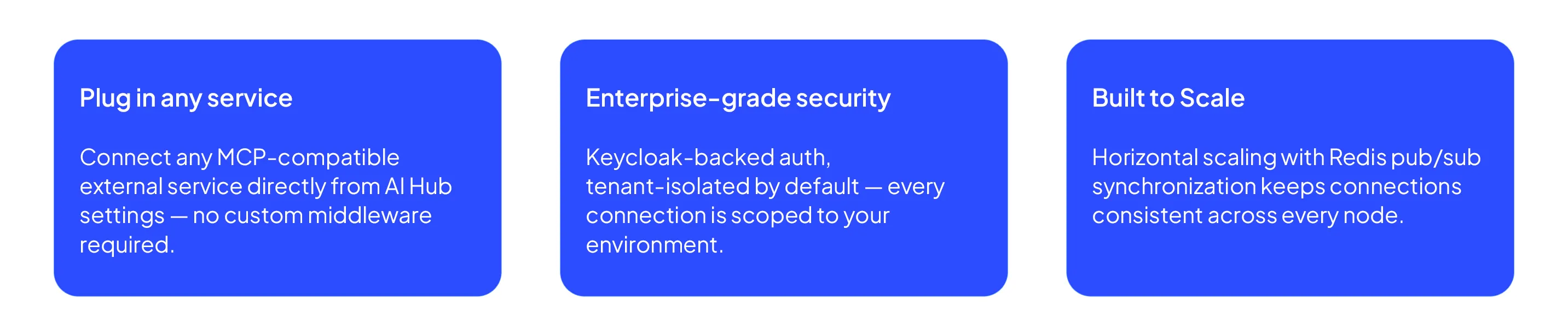
Setup is intentionally lightweight. Navigate to AI Hub settings, add your MCP server endpoint, configure credentials, and the connection becomes available across AI Console and Maker Chat panels immediately.
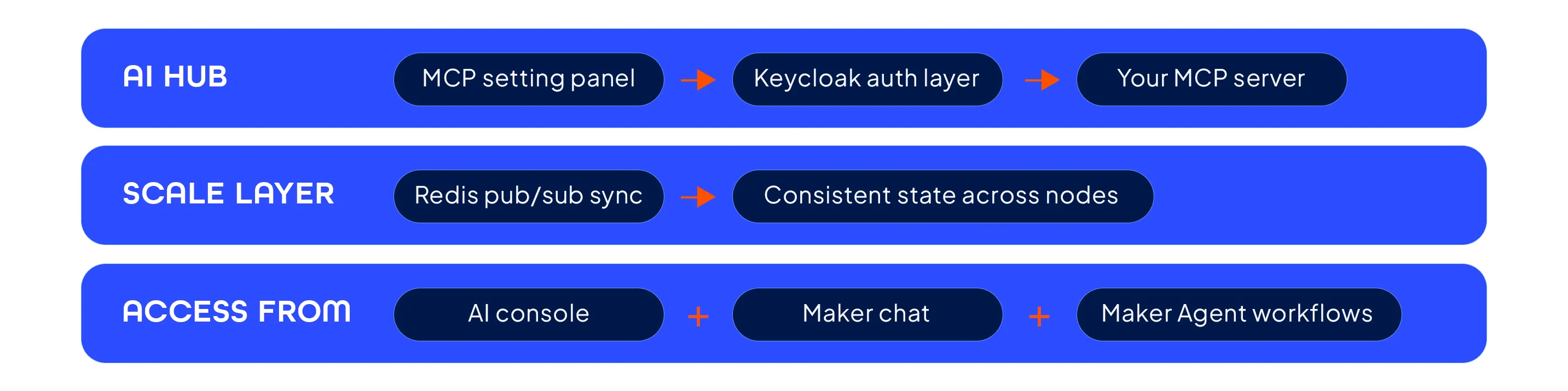
Tenant isolation is enforced at the infrastructure level — each customer's MCP connections are scoped to their own environment, with no cross-tenant visibility. Security is not a configuration choice; it's the default.
What this means for your team
The most immediate impact is velocity. Teams that previously needed engineering support to connect a new data source or action endpoint can now do it themselves, within the AI Hub interface they already use. Integrations that took days now take minutes.
The deeper impact is strategic. When AI decisioning can reach any system — in real time, securely, at scale — the scope of what's automatable changes fundamentally. Customer journeys that required human handoffs can become fully orchestrated. Data that lived in silos becomes usable context. Systems that operated independently can act in concert.
evamX has always been built around the idea that real-time decisioning should be a business capability, not a data science project. Custom MCP server connections are the next expression of that principle — putting the power to extend AI into the hands of the people who understand the business best.
Ready to connect your first MCP server?
Head to AI Hub settings and add your MCP endpoint — or speak to your Evam account team to explore what's possible with your existing systems.